
In-House Development vs Outsourcing: Which Is Best for US Startups?

In-House Development vs Outsourcing: Which Is Best for US Startups? A startup can spend months hiring developers and investing heavily in building an internal team, only to realize the product launch is delayed. On the other hand, some startups outsource development to move faster, but later face communication challenges or concerns about control. The real challenge is not choosing between in-house development and outsourcing. The challenge is choosing the approach that fits your startup’s goals, budget, and growth stage. The decision can influence how quickly you launch, how much you spend, how easily you scale, and how efficiently your product evolves in the future. There is no universal winner because every startup has different priorities. This guide will help you understand both approaches and decide which one makes the most sense for your business. Why This Decision Matters for US Startups Building a startup in the US comes with opportunities, but it also comes with pressure. Businesses often need to move quickly while managing costs and staying competitive. Many startups face common challenges such as: Limited funding during early stages Pressure to launch products quickly Rising hiring and operational costs Competition for skilled developers Constant feature updates and product improvements Hiring technical talent is becoming increasingly competitive. According to the US Bureau of Labor Statistics, employment for software developers, quality assurance analysts, and testers is projected to grow 15% between 2024 and 2034, which is much faster than the average for all occupations. Growing demand means startups often compete for skilled talent and may face longer hiring timelines. A wrong development decision can create delays and unnecessary expenses. A well-planned decision can improve efficiency and support long-term growth. This table gives a quick direction, but understanding the details behind each option is important before making a decision. What Is In-House Development? In-house development means building an internal team that works directly for your company. This team may include developers, designers, testers, project managers, and other technical professionals. Many companies choose this approach because they want direct control over product development and long-term ownership. Benefits of In-House Development Full project control Internal teams work closely with business leaders, making it easier to monitor progress and make changes quickly. Better communication Since everyone works under the same structure and goals, communication is often smoother and faster. Strong company culture Team members understand the company’s vision and become more connected with long-term business goals. Better product ownership Over time, internal teams build deep product knowledge that helps with future updates and improvements. Challenges of In-House Development Higher hiring costs Building a team involves much more than salaries. Startups may also need to manage recruitment, employee benefits, equipment, software tools, and onboarding expenses. Software hiring costs continue to increase because demand remains strong. Around 129,200 openings each year on average for software developers, quality assurance analysts, and testers. Higher demand often means startups need more time and resources to hire the right people. Longer hiring process Finding experienced developers can take several weeks or even months. Difficulty scaling quickly If a project suddenly needs additional resources, hiring more employees may slow progress. Talent availability challenges Many startups compete for skilled professionals, making recruitment difficult. What Is Outsourcing in Software Development? Outsourcing means hiring an external development company or technology partner to build your software product. Instead of building an internal team from scratch, startups work with experienced professionals who are ready to begin development. Benefits of Outsourcing Lower initial investment Startups can reduce recruitment and infrastructure expenses and pay only for required services. Faster project execution External teams often have developers available immediately, which can reduce development timelines. Access to global talent Businesses can work with specialists from different locations and technologies. Flexible team expansion Projects can scale faster without going through lengthy hiring processes. Specialized expertise Outsourcing companies often work across multiple industries and technologies, bringing valuable experience. Challenges of Outsourcing Communication differences Working across different locations and time zones may sometimes create communication gaps. Less direct control Internal teams generally provide more visibility into daily activities and decision-making. Security concerns Sensitive business information requires proper agreements and protection measures. Quality variation The quality of work can vary depending on the development partner selected. In-House Development vs Outsourcing: Key Comparison Here is a side-by-side comparison: Factor In-House Development Outsourcing Initial investment High Lower Hiring speed Slow Fast Team control High Moderate Access to expertise Limited Global Team scalability Moderate High Time to market Moderate Faster Long-term ownership Strong Depends on agreement The right option depends on what your startup needs most. Cost Comparison for US Startups Cost is one of the biggest factors that influence startup decisions. Cost of Building an In-House Team Expenses may include: Developer salaries Recruitment costs Employee benefits Office and equipment setup Software subscriptions Training costs These expenses can grow quickly, especially for startups working with limited resources. Cost of Outsourcing Development Outsourcing expenses often include: Hourly development pricing Fixed project costs Dedicated team charges Project management expenses Many startups prefer outsourcing because it provides more flexibility during early growth stages. Hidden Costs Startups Often Ignore Many businesses focus only on direct expenses and overlook hidden costs. Hidden in-house costs Time spent finding employees Employee turnover Training periods Productivity loss during onboarding Delayed launch timelines Hidden outsourcing costs Communication management Additional revisions Knowledge transfer issues Future vendor changes Considering these hidden costs helps startups make more informed decisions. Which Option Helps Startups Launch Faster? Speed can be a major advantage for startups. Launching quickly allows businesses to collect customer feedback, improve products, and identify market opportunities earlier. Outsourcing often supports faster launches because development teams are already available and experienced with similar projects. However, startups that already have an established internal team may also move quickly. The answer often depends on current resources and project requirements. Startup Scenarios: Which Option Works Better? Startup building its first MVP with a limited budget Recommended approach: Outsourcing A startup creating its first product version usually wants to validate an idea without
AI Automation vs Hiring Employees: Which Saves More Money for Small Businesses?
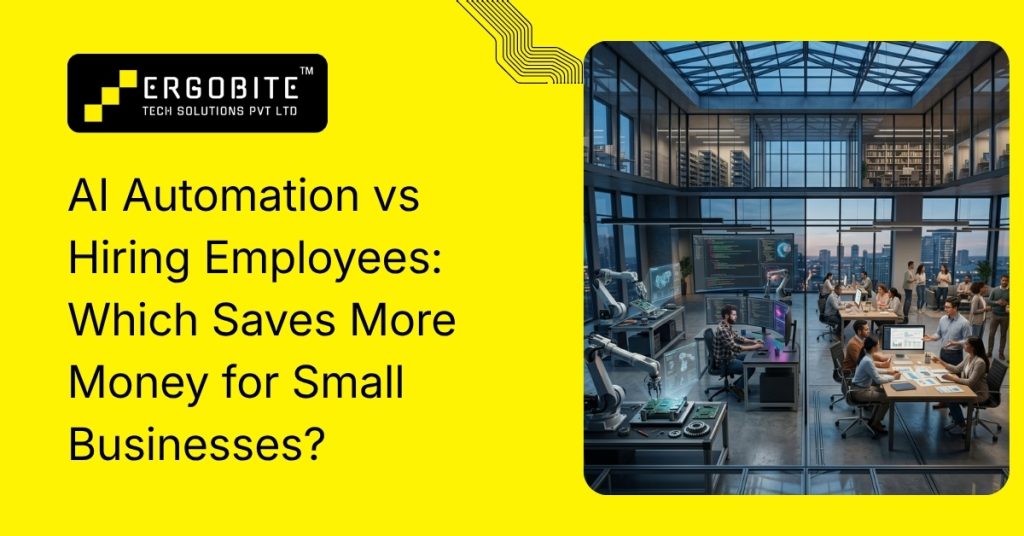
AI Automation vs Hiring Employees: Which Saves More Money for Small Businesses? For years, small businesses scaled by hiring more people. More customers usually meant expanding teams, adding support staff, and increasing operational capacity. But in 2026, that approach is becoming significantly more expensive for growing businesses across the US. Rising salaries, employee benefits, payroll taxes, recruitment expenses, and software costs are forcing businesses to rethink how they grow. At the same time, AI-powered business tools have become more accessible for small and mid-sized companies. Instead of immediately expanding teams, many businesses are now identifying repetitive workflows that can be streamlined through automation. Customer support, appointment scheduling, lead follow-ups, CRM updates, and reporting are some of the most commonly automated tasks today. According to recent automation trends, businesses implementing AI-driven workflows are seeing measurable improvements in productivity, response time, and operational efficiency. The goal is not to replace employees entirely. It is reducing repetitive workload so teams can focus on higher-value business activities. What Is AI Automation for Small Businesses? Understanding How AI Automation Works AI automation refers to software systems designed to handle repetitive business processes automatically. Instead of relying completely on manual workflows, businesses can automate tasks that consume time but do not always require constant human involvement. Small businesses commonly use AI automation for: Customer support inquiries Appointment scheduling CRM workflow management Lead qualification Follow-up emails and reminders Reporting and notifications Internal workflow tracking Document organization For example, a dental clinic may automate appointment confirmations and patient reminders, while a law firm may automate client intake forms and document workflows. These systems help businesses improve workflow speed while reducing administrative pressure on employees. Why Hiring Employees Is Becoming More Expensive The Real Cost Goes Beyond Salary Many businesses calculate hiring costs based only on annual salary, but the actual expense of expanding teams is usually much higher. A company hiring an employee at $60,000 annually may eventually spend closer to $85,000–$100,000 after including payroll taxes, employee benefits, recruitment costs, onboarding, software access, equipment, workspace setup, and management overhead. As businesses scale, internal complexity also increases. Larger teams require more coordination, communication management, supervision, and training. This often creates additional overhead that impacts efficiency over time. Another challenge is administrative workload. Employees frequently spend large amounts of time on repetitive business tasks such as scheduling, CRM updates, follow-ups, reporting, and inquiry handling instead of focusing on sales, customer relationships, and business growth. Common Costs Businesses Often Overlook Expense Type Estimated Additional Cost Payroll Taxes 7–10% Benefits & Insurance 15–30% Recruitment & Training Thousands annually Software & Tools Ongoing monthly expenses Equipment & Workspace Additional setup cost Productivity Ramp-Up Several months According to hiring industry estimates, employee-related expenses can significantly increase total hiring costs beyond base salary alone. AI Automation vs Hiring Staff: Quick Comparison Comparing Long-Term Business Impact Factor Hiring Employees AI Automation Initial Investment Lower upfront hiring cost but recurring expenses begin immediately. Requires setup and software investment but becomes more cost-efficient over time. Long-Term Cost Expenses increase as the business hires more employees. Costs remain more predictable as operations scale. Scalability Scaling usually requires additional hiring and management. Businesses can handle higher workload without proportional payroll growth. Availability Limited to working hours and employee schedules. AI systems can operate continuously 24/7. Response Speed Depends on employee workload and availability. Automated workflows respond instantly. Administrative Work Employees spend time on repetitive processes. Routine workflows can be streamlined efficiently. Workflow Consistency Processes may vary between employees. Automation helps maintain standardized workflows. Operational Overhead Requires HR management, supervision, and training. Lower dependency on ongoing management after setup. Error Reduction Repetitive manual work increases the chance of human errors. Automation improves consistency and reduces routine processing mistakes. Growth Flexibility Expanding operations usually requires larger teams. Businesses can scale operations more efficiently with automation support. The biggest difference becomes more visible as businesses grow. Hiring continuously increases operational expenses, while automated systems can often manage increasing workflow volume without significantly increasing monthly costs. This does not mean automation replaces employees completely. Businesses are using AI to reduce repetitive workload while allowing teams to focus on customer relationships, decision-making, and growth-focused work. Why More Businesses Are Choosing AI Before Expanding Teams Businesses Want Smarter Growth Models Many businesses are now evaluating automation before hiring because it provides greater flexibility during growth stages. Instead of immediately expanding teams, companies are identifying repetitive workflows that can be streamlined to reduce unnecessary administrative pressure. This approach allows businesses to improve efficiency without increasing payroll too aggressively. AI-powered systems are especially useful for: Managing customer inquiries Scheduling appointments Organizing workflows Managing follow-ups Updating CRM systems Tracking leads and inquiries Streamlining repetitive communication This shift is becoming increasingly common in industries where workload grows rapidly alongside customer demand. Businesses are also realizing that repetitive admin work often prevents employees from focusing on higher-value responsibilities. By streamlining routine workflows, companies can improve productivity while keeping teams focused on strategy, customer relationships, and business development. When AI Automation Makes More Financial Sense Businesses With Repetitive Workflows Benefit the Most AI automation creates the strongest financial advantage when businesses manage repetitive workflows daily. The more repetitive the process, the greater the efficiency automation can provide. Recent workflow automation reports suggest businesses can significantly reduce repetitive administrative workload through process automation and intelligent workflow systems. Industries currently benefiting heavily from AI automation include law firms, dental clinics, real estate agencies, healthcare businesses, and e-commerce companies. Law Firms Law firms often manage large amounts of administrative coordination. Client intake, appointment scheduling, document organization, follow-up communication, and workflow tracking consume significant time every day. Automation helps reduce this workload so attorneys and legal teams can spend more time on billable work instead of repetitive coordination tasks. Dental Clinics Dental clinics are increasingly using automation for: Appointment confirmations Patient reminders Follow-up communication Scheduling workflows Inquiry handling This helps clinics improve patient communication while reducing front-desk workload and missed appointments. Real Estate Agencies Real estate businesses commonly streamline: Lead qualification Follow-up communication Inquiry management
Custom CRM vs Ready-Made CRM: Which Is Best for Small Businesses in 2026?
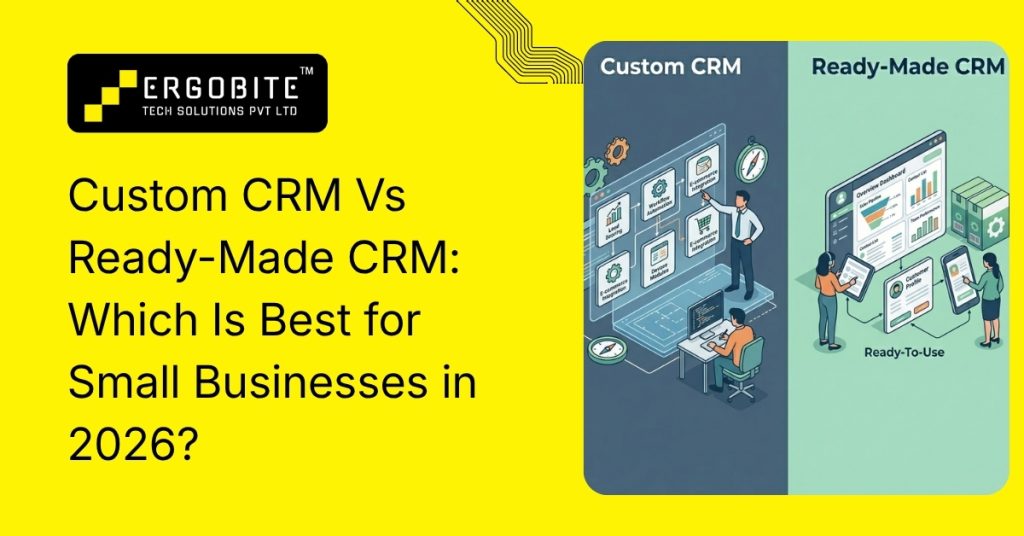
Custom CRM Vs Ready-Made CRM: Which Is Best for Small Businesses in 2026? Many businesses invest in CRM software expecting smoother operations, better lead management, and improved customer tracking. However, even after adopting a CRM, teams often continue managing follow-ups through spreadsheets, WhatsApp chats, and manual reminders. The problem is usually not CRM adoption itself. It is choosing a system that does not align with how the business actually operates. This is where the decision between a ready-made CRM and a custom CRM becomes important. Both options offer advantages, but the right choice depends on your workflow complexity, automation requirements, scalability goals, and long-term business strategy. What is a Ready-Made CRM? A ready-made CRM is a pre-built software platform designed for businesses across multiple industries. Companies can subscribe to the platform and start using it immediately without investing in custom development. Popular ready-made CRM platforms include HubSpot, Zoho CRM, Salesforce, Freshsales, and Pipedrive. These systems generally include features such as: Lead management Sales pipeline tracking Task management Reporting dashboards Email automation Omnichannel communication tracking Mobile accessibility Standard workflow automation For startups and small businesses, ready-made CRM systems provide a faster and more affordable way to organize customer operations. What Is a Custom CRM? A custom CRM is developed specifically according to a company’s operational workflow, customer journey, and business requirements. Instead of forcing teams to work inside predefined systems, businesses can build workflows that match how operations actually function. A custom CRM may include: API based integrations Automated lead routing ERP and accounting sync Workflow triggers SLA tracking Department-specific dashboards Customer lifecycle automation Role-based access control For example, a real estate company handling high inquiry volumes may require broker-wise lead assignment and automated WhatsApp follow-ups. At the same time, a logistics business may need shipment tracking and centralized operational dashboards. This level of flexibility is one of the biggest reasons growing businesses move toward custom CRM solutions. Quick Comparison: Custom CRM vs Ready-Made CRM Factor Hiring Employees AI Automation Initial Investment Lower upfront hiring cost but recurring expenses begin immediately. Requires setup and software investment but becomes more cost-efficient over time. Long-Term Cost Expenses increase as the business hires more employees. Costs remain more predictable as operations scale. Scalability Scaling usually requires additional hiring and management. Businesses can handle higher workload without proportional payroll growth. Availability Limited to working hours and employee schedules. AI systems can operate continuously 24/7. Response Speed Depends on employee workload and availability. Automated workflows respond instantly. Administrative Work Employees spend time on repetitive processes. Routine workflows can be streamlined efficiently. Workflow Consistency Processes may vary between employees. Automation helps maintain standardized workflows. Operational Overhead Requires HR management, supervision, and training. Lower dependency on ongoing management after setup. Error Reduction Repetitive manual work increases the chance of human errors. Automation improves consistency and reduces routine processing mistakes. Growth Flexibility Expanding operations usually requires larger teams. Businesses can scale operations more efficiently with automation support. Detailed Comparison Between Custom CRM and Ready-made CRM 1. Initial Cost Ready-Made CRM Ready-made CRM platforms usually work on monthly or yearly subscription models, making them easier to adopt during the early stage of business growth. Businesses can start with smaller plans and upgrade gradually as requirements increase. Custom CRM Custom CRM solutions require a higher upfront investment because the platform is built according to specific operational requirements. The cost generally includes development, integrations, testing, UI design, and deployment. Although the initial investment is higher, businesses gain complete ownership and long-term flexibility. 2. Set up and Implementation Ready-Made CRM One of the biggest advantages of ready-made CRM systems is faster deployment. Businesses can usually start managing leads and customer communication within a few days. Most CRM providers also offer onboarding support and training resources to simplify implementation. Custom CRM Custom CRM systems require more planning and development because workflows, automation logic, and integrations are built according to business operations. Depending on project complexity, implementation may take several weeks or months. 3. Customization Flexibility Ready-Made CRM Ready-made CRM platforms allow basic customization such as editing dashboards, reports, or sales pipelines. While this works well initially, operational limitations often appear as businesses scale. Many companies eventually realize that the platform cannot fully support their exact workflow requirements. Custom CRM Customization is where custom CRM solutions become significantly stronger. Businesses can build: Industry-specific workflows Workflow-based triggers Automated approval systems Department-wise dashboards Custom reporting structures Advanced sales funnel visibility Personalized customer journeys This allows businesses to optimize operations instead of adjusting workflows according to software limitations. 4. Scalability Ready-Made CRM Ready-made CRM systems work effectively for small and medium-sized businesses. However, companies often face restrictions related to workflow automation, integrations, reporting flexibility, or user limits as operations become more complex. Scaling usually requires upgrading to expensive enterprise plans. Custom CRM Custom CRM systems are designed according to long-term operational goals. Businesses can continuously expand features, automation layers, dashboards, and integrations according to growth requirements. This makes custom CRM solutions more scalable for businesses planning long-term expansion. 5. Integration Capabilities Ready-Made CRM Most ready-made CRM platforms support standard integrations with email tools, marketing platforms, and payment systems. However, advanced integrations may require premium plans or external middleware tools. Businesses also commonly experience limitations while connecting internal systems. Custom CRM Custom CRM solutions allow businesses to create API based integrations according to operational requirements. This may include: ERP software Accounting systems HR platforms WhatsApp APIs Marketing automation tools Mobile applications Internal databases For businesses managing multiple software systems, this flexibility becomes highly valuable. 6. Automation and Workflow Management Ready-Made CRM Ready-made CRM systems provide standard automation features such as reminders, email sequences, task notifications, and basic lead assignment. These features work effectively for businesses with simpler workflows. Custom CRM Custom CRM systems allow businesses to automate operations according to exact workflow logic and business rules. For example, businesses can automate: Lead routing workflows Customer onboarding Invoice generation Internal approvals SLA monitoring Follow-up reminders Service notifications Omnichannel communication tracking This reduces repetitive manual work and improves operational
How AI Can Reduce Administrative Work in Dental Clinics?

How AI Can Reduce Administrative Work in Dental Clinics? Modern dental clinics in the USA deal with more than just treatments. The real challenge often lies in day-to-day operations like front desk coordination, call handling, appointment management, and insurance work. Appointments need to be booked, rescheduled, and confirmed. Patients call with the same questions every day. Insurance details must be checked again and again. Records need to be updated after every visit. The result is pretty common across many dental practices: staff feel overloaded, tasks pile up, and even simple delays can affect patient experience and revenue. This is exactly where AI is starting to change how dental clinics operate. Instead of adding more pressure on staff, AI helps remove repetitive, time-consuming work so teams can focus on what actually matters to patients. Why Is Administrative Work A Major Challenge In Dental Clinics Today? Even though dentistry has become more advanced clinically, many clinics still rely on manual processes for administration. Think about a typical front desk day: Answering phone calls all day Managing appointment calendars Explaining procedures and pricing repeatedly Handling insurance queries Collecting patient forms Sending reminders and follow-ups Updating patient records Dealing with cancellations and no-shows Individually, these tasks don’t seem too heavy. But together, they take up a huge portion of the day. And in many clinics, the same small team is expected to handle all of this smoothly. That’s where things start breaking down missed calls, delayed responses, scheduling conflicts, and staff burnout. How Is AI Changing The Way Dental Clinics Handle Administrative Work? AI doesn’t replace the human side of dentistry. It removes the repetitive workload that slows everything down. In simple terms, AI acts like an extra layer of support for your front desk and admin team. It works quietly in the background, handling routine tasks faster and more consistently. AI can automate a wide range of routine administrative workflows that typically slow down dental operations. Using technologies like machine learning (ML), natural language processing (NLP), and workflow automation systems, it can handle repetitive tasks without fatigue, respond in real time, and manage high-volume communication efficiently. More importantly, these AI systems can be integrated into existing dental practice management software (PMS), EMR/EHR platforms, and cloud-based clinic systems, ensuring smooth adoption without disrupting current workflows. Let’s look at where it actually makes the biggest impact. Best Ways to Improve Dental Clinic Daily Operations with AI Automation 1. Smarter Appointment Scheduling Without Phone Chaos Appointment scheduling is one of the most time-consuming parts of any dental clinic. Patients call, ask for available slots, change timings, cancel appointments, or reschedule multiple times. All of this takes time and interrupts the front desk workflow. AI helps by automating this entire process. With AI-powered scheduling systems: Patients can book appointments online or through chat Available time slots are shown instantly Rescheduling can be done without calling the clinic The system avoids double bookings Staff don’t need to manually coordinate every appointment For clinics, this means fewer phone interruptions and a much smoother calendar flow. For patients, it simply feels faster and more convenient. 2. Reducing No-Shows with Automated Reminders No-shows are one of the most frustrating issues for dental clinics. A missed appointment doesn’t just affect one patient; it leaves unused chair time, disrupts the schedule, and reduces daily revenue. AI helps reduce this problem through automated, well-timed reminders. Instead of someone manually calling patients, AI systems can: Send SMS or email reminders automatically Confirm appointments in advance Allow easy rescheduling Follow up with patients who haven’t responded Some systems even learn patient behavior over time. For example, if someone frequently cancels late or misses appointments, the system can trigger stronger reminders or earlier follow-ups. The goal is simple: keep schedules full and predictable without extra manual effort. 3. AI Chatbots and Voice Assistants for Daily Patient Queries A large part of front desk work is answering the same questions repeatedly. Patients want to know: What are your timings? Do you accept my insurance? How do I book an appointment? What should I bring for my visit? Can I reschedule my appointment? AI chatbots and voice assistants can take over many of these routine conversations. They can respond instantly, 24/7, without making patients wait for office hours. They can also collect basic information, guide patients to the right department, and direct urgent cases to the right staff member. For a dental clinic, this is a major advantage. Instead of feeling like they are waiting in a phone queue, patients get quick support whenever they need it. Looking to offer faster patient support without increasing front-desk workload? Custom AI chatbot development services for dental clinics can automate patient communication, improve response times, and create a smoother support experience for patients around the clock. 4. AI Can Streamline New Patient Intake New patient onboarding is one of those areas where a lot of time quietly gets wasted in dental clinics. Paper forms, repeated data entry, missing details, and back-and-forth verification can slow the entire process down before the patient even sees the dentist. AI helps streamline this by digitizing and organizing the intake process. Patients can complete forms before their visit, and AI systems can automatically structure the data, highlight missing information, reduce manual entry for staff, and prepare complete records in advance. This leads to faster check-ins, less waiting at the front desk, and much better data accuracy with fewer manual errors. 5. Simplifying Insurance Checks and Billing Support Insurance verification is one of the most time-consuming and frustrating administrative tasks in dental clinics. It is highly detailed, repetitive, and prone to human error. If even small details are missed or entered incorrectly, it can lead to claim rejections, delayed payments, or confusion for patients later on. AI helps simplify this entire process by assisting with eligibility checks, data extraction, and claim-related workflows. Instead of staff manually reviewing every single detail, AI tools can quickly organize information and highlight what actually needs attention. This
AI for Law Firms: Practical Uses That Save Time Without Huge Investment

AI For Law Firms: Practical Uses That Save Time Without Huge Investment Most law firms today are not short on expertise; they are short on time. Between client calls, drafting documents, court preparation, and endless research work, lawyers often end up spending more time on routine tasks than on actual legal thinking. At the same time, client expectations have shifted. Faster responses, quicker turnaround on documents, and more efficient billing are now standard expectations rather than exceptions. This is where AI is quietly changing how law firms operate. And contrary to what many believe, you don’t need a massive tech budget or a complete system overhaul to use it. In fact, many useful AI tools today are already affordable and easy to integrate into daily legal work. Let’s look at how AI is actually being used in law firms, not in theory, but in real, practical workflows. Why Are Law Firms Slowly Adopting AI? Legal work is still very document-heavy in most firms. A single matter can easily involve contracts, case laws, filings, emails, and scattered notes, all in different formats. When everything is spread out like this, it naturally slows things down and creates a few familiar problems: too much time going into repetitive tasks, constant overload of information during research, and the ongoing pressure to finish work faster without increasing costs. AI doesn’t really reduce the complexity of legal work itself, but it does take a lot of the repetitive load off the table. Instead of changing how lawyers think or work at a core level, it quietly supports them by handling routine tasks in the background. That’s mainly why more law firms are starting to try it out, not as a big transformation, but as a practical way to save time where it matters most. What Are the Practical Ways AI Is Used in Law Firms? 1. Faster Legal Research Legal research is one of the biggest time sinks in any law practice. Traditionally, it involves manually searching through databases, reading long judgments, and cross-checking references. Search case laws using plain language Get relevant judgments in seconds Summarize long legal documents Behind the scenes, these systems use Natural Language Processing (NLP) to understand the intent of a query rather than just matching keywords. In simple terms, instead of digging through hundreds of results, lawyers can now start closer to the answer. 2. Drafting and Reviewing Legal Documents Drafting contracts, agreements, and notices is a daily task in most law firms. While important, it is also repetitive and time-consuming. Generating first drafts of legal documents Suggesting commonly used clauses Highlighting inconsistencies or missing terms Most of these tools are powered by large language models trained on legal text. They don’t replace legal reasoning, but they do help create a strong starting point. In practice, this means lawyers spend less time typing and more time reviewing and refining. 3. Summarizing Long Case Files Anyone who has worked on litigation knows how overwhelming case files can become. Hundreds of pages of evidence, notes, and correspondence often need to be reviewed quickly. AI-based summarization tools help by: Condensing large documents into structured summaries Highlighting key facts and arguments Organizing timelines for easy reference This becomes especially useful during hearings or client meetings, where quick recall of case details is important. 4. Handling Client Communication A surprising amount of time in law firms goes into answering routine client questions, case updates, appointment scheduling, or basic legal queries. AI tools can now handle a large part of this through: Automated chat responses on websites Email drafting assistance Client intake forms and scheduling systems For smaller firms in particular, this is one of the easiest ways to reduce workload without changing internal systems too much. The result is simple: faster response times and less pressure on staff. 5. Contract Review and Risk Detection Contract review is not just reading; it is about spotting what might go wrong. AI tools used in contract analysis help by: Highlighting unusual or risky clauses Comparing different contract versions Identifying missing legal protections This is often part of Contract Lifecycle Management systems, which are becoming more common even in mid-sized firms. Instead of manually scanning every line, lawyers get a focused summary of what needs attention. How Can Law Firms Start Using AI Without Making a Big Investment? A common misconception about AI in law firms is that it requires expensive tools, heavy infrastructure changes, or a complete overhaul of existing systems. In reality, most firms don’t need to start big. Even with simple, cost-effective AI software, they can already improve everyday efficiency without major upfront investment. Based on practical industry observations, AI delivers the best results when it is applied to repetitive, time-consuming, and low-complexity tasks. In such areas, it can noticeably reduce manual effort and review time, often improving overall efficiency by around 60–80%, depending on how well the tools are integrated into daily workflows. What Are the Limitations of AI in Law Firms? AI is useful, but it is not perfect, and in legal work, that matters. A few important limitations include: It may not always understand jurisdiction-specific legal nuance Confidential data handling must be carefully managed Outputs still require human legal review It depends heavily on the quality of the underlying data So while AI can assist, final responsibility always stays with the lawyer. What Challenges Are Law Firms in the USA Facing With Increasing Workload? Law firms in the USA are steadily feeling the pressure of rising workloads that are harder to manage in the traditional way. Cases today are more detailed and document-heavy, and clients also expect faster replies and clearer communication throughout the process. In many mid-sized firms, a surprising amount of time still gets spent on routine administrative work instead of actual legal analysis, which slowly eats into overall productivity. On top of that, costs are going up across the board. Hiring more staff or expanding operations isn’t always easy, especially in competitive legal
7 AI & ML Frameworks That Actually Matter in 2026

7 AI & ML Frameworks That Actually Matter in 2026 By 2026, AI systems need to be faster, more reliable, and easier to maintain. The frameworks you choose determine whether you ship in weeks or months and whether your system holds up under real pressure. There’s no one-size-fits-all solution. The right framework depends on what data you’re working with, how much compute you need, and what your production constraints actually are. How AI Frameworks Work Frameworks handle the boring, hard parts: GPU math, memory management, optimization algorithms. You write high-level code describing what you want the model to do. The framework handles the rest. Without them, you’d spend months reinventing basic functionality. With them, you focus on architecture and outcomes. Why This Matters for Real Teams AI systems in production need to scale, stay stable, and integrate with what you already have running. Frameworks let you do all three without rebuilding from scratch. Teams use them to: Ship models weeks faster Keep behavior consistent across deployments Handle 10x growth without redesigning everything Lower operational headaches over time That’s why mature frameworks dominate in finance, healthcare, and logistics. 7 Frameworks That Ship Real AI 1. TensorFlow – When You Need Industrial Strength TensorFlow is still the default for large teams building systems that can’t go down. Google built it for scale, and it shows. The ecosystem is its superpower. TensorFlow Extended handles the full pipeline, training, validation, and deployment. TensorFlow Lite runs models on phones. TensorFlow.js brings them to browsers. CPUs, GPUs, TPUs, it works everywhere. If you need to train a model on a cluster and then serve it on a phone, TensorFlow speaks both languages. The trade-off is complexity. The learning curve is steep, and debugging can be patience. You’ll spend time reading error messages. But if you’re managing millions of predictions a day across multiple deployment targets, that investment pays off. Teams that stick with TensorFlow don’t regret it; they just wish they’d invested the learning time earlier. Good for: Image recognition, NLP pipelines, forecasting, healthcare, and fintech systems where stability matters more than speed. When to pick it: Your models need to run everywhere, cloud, edge, and mobile, and you can’t afford downtime. 2. PyTorch – The Researcher’s Favorite (That Actually Works in Production) PyTorch lets you write models the way you think about them. No fighting the framework, no weird workarounds. It just gets out of your way. For years, it was research-only. Now? Tools like TorchScript and TorchServe make it production-viable. Teams that could only prototype are now shipping. The dynamic computation graph means you can debug like you’re writing normal Python, drop in a print statement, step through with a debugger, and see what’s happening. Try that with TensorFlow’s static graph, and you’ll understand why teams are migrating. By 2026, PyTorch will be just as common in industry R&D teams as it is in academic research. Its ease of use and fast iteration cycle make it especially attractive to startups and product teams building new applications. Good for: Deep learning that needs to change fast, NLP work with Hugging Face, computer vision, reinforcement learning, anywhere you’re innovating. When to pick it: Your team values iteration speed over deployment simplicity, or you’re building research-forward products where the model architecture might change next month. 3. Keras – When You Just Want It Done Keras doesn’t make you earn your stripes. Write three lines, get a working neural network. That’s not a gimmick, it’s powerful. It’s fully inside TensorFlow now, which means your prototype can become production-ready without rewriting anything. You learn Keras, you learn the patterns, and when you need to go deeper, you’re already inside TensorFlow’s ecosystem. The integration is seamless. Most teams that use Keras start here, build something that works, and then stay here because they never needed to go deeper. The remaining teams graduate to TensorFlow when they hit Keras’s edges, and the transition is smooth because they’re already in TensorFlow’s house. Good for: Rapid prototyping, teaching junior developers, projects that don’t need low-level control, getting to MVP in weeks. When to pick it: You have a clear problem, limited time, and you want to avoid framework bikeshedding. Keras gets you unstuck faster than anything else. 4. scikit-learn – The Workhorse For structured data and business problems, nothing beats scikit-learn. No deep learning overhead. No GPU requirements. Just solid, predictable results. It’s been around since 2007. Thousands of production systems depend on it. That stability matters. You’re not betting on the framework’s roadmap or waiting for the maintainers to decide to rewrite it. scikit-learn’s API hasn’t fundamentally changed in a decade. Your code from 2015 still runs today. A lot of data science work is done with scikit-learn. Building a baseline model, testing hypotheses on tabular data, and explaining results to stakeholders. Most people overestimate how often they need deep learning. More problems are solved faster with scikit-learn than you’d expect. Good for: Fraud detection, customer segmentation, feature engineering, analytics, where you need to explain your results to non-technical people. When to pick it: Your data is structured, your problem is well-understood, and you need something reliable that won’t break in six months when the maintainers lose interest. 5. XGBoost & LightGBM – Tabular Data Kings If your data lives in a spreadsheet (or a database), gradient boosting frameworks dominate. They consistently beat everything else on real business datasets. Not by a little. By a lot. The reason is fundamental: tabular data has different properties than images or text. XGBoost and LightGBM are built for that. Neural networks are general-purpose tools that happen to work on everything. Boosting is a specialist. These frameworks also give you interpretability for free. You can see which features matter. You can explain why a particular prediction happened. Try explaining a deep neural network’s decision to a regulator or a customer; boosting is the answer. Good for: Credit scoring, churn prediction, ranking, forecasting, anywhere accuracy and interpretability both matter. When to pick it: Your data is
Databricks vs Snowflake: What’s Best for Startups in 2026?

Databricks vs Snowflake: What’s Best for Startups in 2026? Choosing a data platform has become an earlier decision for startups than it used to be. Product teams now deal with growing user data, faster reporting needs, and AI-related planning much sooner in the growth cycle. Because of that, the platform behind analytics no longer affects only reporting. It also influences infrastructure cost, engineering effort, and how easily a startup can scale. Two names usually come up in that discussion: Databricks and Snowflake. Both platforms are widely used, but they solve different problems. Databricks gives technical teams more flexibility when data workflows become complex, while Snowflake is often easier when fast analytics and simple reporting matter most. For startups, the better choice usually depends on what the team needs today and how quickly data demands are likely to grow. Why Startups Are Comparing Databricks and Snowflake More in 2026? Data decisions are becoming important much earlier in a startup’s growth journey. What begins as basic reporting often turns into a bigger need once product data starts coming from multiple sources and different teams begin relying on it for daily decisions. A platform that works well in the early stage may start showing limits when reporting becomes heavier, customer activity increases, or product teams need faster access to insights. That is usually when Databricks and Snowflake come into the same discussion. Which platform is easier to manage with a small technical team? Which one handles growing data without increasing complexity too early? Which option supports future AI or machine learning plans better? Which platform keeps costs predictable as usage grows? Snowflake usually attracts startups that want fast analytics with less infrastructure effort. Databricks becomes more relevant when engineering teams expect heavier transformations, raw data processing, or machine learning workloads later because it is built around a lakehouse platform. The comparison is stronger in 2026 because many startups are no longer choosing only for current reporting needs. They are also thinking about how their data stack will support the next stage of growth. What Databricks Offers When Startup Data Starts Getting Complex? Databricks becomes more useful when startup data starts moving beyond simple reports and structured tables. As product usage grows, teams often need to work with logs, event streams, API data, and other raw inputs before they are ready for analysis. That is where Databricks gives more flexibility because engineering and analytics can stay closer in one platform. Some of the core capabilities that support this include: • Delta Lake keeps data reliable with schema control, transaction support, and historical versions.• Spark and Photon handle large processing workloads while improving SQL performance.• Notebook-based workflows allow teams to write SQL, Python, or Scala in one shared environment.• Unity Catalog helps manage permissions, governance, and data lineage.• MLflow integration supports machine learning experiments and model tracking.• Streaming support allows real-time event pipelines and incremental updates.• Lakehouse architecture keeps raw and processed data connected in one environment. This makes Databricks a strong option for startups that expect product data to become more technical over time, especially when plans include machine learning, real-time analytics, or heavier transformation pipelines. Where Snowflake Fits Better for Fast Analytics? Snowflake usually fits better when the main goal is getting clean business data into reports quickly and making analytics available across teams without adding much infrastructure work. It is designed to keep performance stable while reducing the amount of technical management needed during daily use. Its main strengths include: • Virtual Warehouses isolate compute workloads.• Managed Storage handles file optimization automatically.• Separate compute and storage so usage scales independently.• Snowpark supports Python, Java, and Scala workloads.• Time Travel helps restore previous data states.• Secure Data Sharing allows controlled access across teams.• Automatic scaling supports multiple reporting workloads without manual tuning. For startups where dashboards, internal reporting, and quick SQL access matter most, Snowflake often creates faster adoption because teams can focus more on using data than managing how it runs. Databricks vs Snowflake: A Practical Startup Comparison Once the basics of both platforms are clear, the real question for a startup is how they behave in daily use. Databricks and Snowflake can both handle modern data workloads, but they solve problems differently. One leans toward engineering flexibility, while the other focuses on fast and reliable analytics. For a startup team, the difference usually appears when different departments start using data at the same time. Product teams want quick insights, analysts need stable queries, and engineers may be building pipelines behind the scenes. The platform that supports these workflows with the least friction often becomes the better choice. A practical comparison across common startup priorities looks like this: Startup Need Databricks Snowflake Fast reporting setup Moderate Strong Handling raw product data Strong Moderate SQL-first analytics Good Strong Machine learning readiness Strong Moderate Infrastructure simplicity Moderate Strong Engineering flexibility Strong Moderate Which Platform Costs Less in the Early Growth Stage? Cost becomes a bigger concern once a startup moves beyond early experimentation and starts running data workloads every day. At that stage, pricing is no longer just about storage. It also depends on how often the compute runs, how many teams use the platform, and how efficiently workloads are managed. The lower-cost option usually depends on the kind of work happening most often. For Databricks: Pricing is based on platform usage along with the cloud infrastructure underneath. Costs can rise when clusters run longer than needed or when workloads are not optimized. It often becomes more efficient when large transformations run regularly. Engineering-heavy startups may get better long-term value if multiple workloads stay in one platform. For Snowflake: Pricing is tied to warehouse usage and storage consumption. Costs are usually easier to track because compute runs separately by workload. It works well when reporting follows predictable patterns. Startups often find early cost planning simpler because fewer infrastructure choices affect billing. What Works Better for Small Technical Teams For smaller technical teams, the better platform is usually the one that reduces
AI Chatbot or Live Support : Smarter Choice for Business Growth

AI Chatbot or Live Support: Smarter Choice for Business Growth Customer support has become a direct factor in business growth. A slow response, missed query, or poor support experience can push potential customers away, while fast and effective communication often improves trust, conversions, and long-term retention. As businesses handle growing customer expectations across websites, apps, and digital platforms, choosing the right support model has become more important than ever. This is where AI chatbots and live support enter the conversation. AI chatbots help businesses manage large volumes of inquiries instantly, reduce repetitive workload, and stay available at any hour. Live support, on the other hand, brings human understanding into conversations that need attention, flexibility, and decision-making. Both can improve customer experience, but they solve different problems and deliver value in different ways. Understanding where automation works best and where human interaction still matters is essential before deciding which approach supports your business growth more effectively. How Do AI Chatbots Work in Customer Support? AI chatbots function using a combination of Artificial Intelligence (AI), Natural Language Processing (NLP), Natural Language Understanding (NLU), and Machine Learning (ML) algorithms. When a user submits a query, the chatbot system performs intent recognition and entity extraction to understand the context of the message. The system then processes the input using trained datasets or APIs connected to backend systems such as CRM, ERP, or knowledge bases. Based on predefined decision trees or deep learning models, the chatbot generates a relevant response in real time. Modern chatbots also use contextual memory and sentiment analysis to improve conversation flow. Over time, ML models continuously retrain using historical chat data, making the system more accurate and adaptive. This enables chatbots to handle multi-session conversations, predictive responses, and automated ticket creation in helpdesk systems. How Does Live Chat Support Work? Live chat support operates through a real-time communication interface embedded in websites or applications, often integrated with customer support platforms like Zendesk, Freshdesk, or Intercom. When a customer initiates a conversation, the request is routed through a ticketing system or agent queue management system to an available support executive. Agents use CRM dashboards to access customer profiles, purchase history, and previous interactions. This allows them to deliver personalized responses based on customer lifecycle data and behavioral analytics. Unlike AI chatbots, live chat relies on human cognitive decision-making, emotional intelligence, and contextual reasoning to solve complex or non-linear queries. It is commonly used for escalation management, technical troubleshooting, and high-value customer interactions. What Are the Key Differences Between AI Chatbots and Live Support? Factor AI Chatbot Live Support Availability 24/7 Limited to working hours Response Time Instant Depends on agent availability Cost Lower operational cost Higher staffing cost Personalization Moderate High Scalability Highly scalable Limited by team size Complex Queries Limited capability Handles complex issues well This comparison highlights that both solutions serve different purposes and can complement each other. What Are the Major Advantages of Using AI Chatbots for Business Growth? Provides 24/7 customer support, ensuring users get assistance anytime without delays Reduces operational costs by automating repetitive queries and minimizing the need for large support teams Delivers instant responses, improving customer satisfaction and engagement Easily scales to handle multiple conversations simultaneously without performance issues Helps in lead generation by capturing user data and qualifying prospects efficiently Streamlines customer journeys, especially in e-commerce and SaaS businesses, boosting conversions and sales According to a 2023 Statista survey, around 60% of US customers prefer chatbots because they are available 24/7, while 45% appreciate getting instant answers to their queries. What Are the Common Limitations and Drawbacks of Live Customer Support Systems? Common Limitations of Live Customer Support Limited Availability – Live support is usually available only during business hours unless companies invest in shift-based teams, which can lead to delayed responses during nights, weekends, or holidays. Difficult to Scale Quickly – As customer demand increases, businesses need to hire more agents. This makes scaling slower and more resource-intensive compared to automated systems. Inconsistent Customer Experience – Service quality may vary from one agent to another depending on their skills, knowledge, and communication style, which can affect overall customer satisfaction. Common Drawbacks of Live Customer Support High Operational Costs – Maintaining a live support team involves expenses like salaries, training, tools, and infrastructure, making it costly for many businesses. Human Errors – Agents may sometimes misunderstand queries or provide incorrect information, which can impact customer trust and experience if not handled properly.. How to Choose Between AI Chatbots and Live Support for Your Business? The right choice depends on your business goals and customer expectations. Choose AI Chatbots If: You want to automate repetitive tasks You need 24/7 availability You want to reduce operational costs Choose Live Support If: You deal with complex customer queries Customer relationships are a priority You offer high-value or personalized services AI chatbots are most useful for businesses that deal with a large number of repetitive customer queries and need to respond quickly. Companies that receive frequent questions about products, services, orders, or basic support can use chatbots to handle these tasks automatically, saving time and improving response speed. What Will Customer Support Look Like in the Future? Customer support is evolving quickly as new technologies continue to improve how businesses interact with customers. With advancements in AI and automation, companies are now able to provide faster, smarter, and more efficient support experiences. Tools like conversational AI, voice assistants, and integrated CRM systems are helping businesses streamline communication and better understand customer needs. At the same time, the future of customer support will not be fully automated. While AI will handle routine and repetitive tasks, human support will remain essential for complex and sensitive interactions. The focus will be on creating a balanced approach where automation improves efficiency and humans deliver personalized, high-quality experiences Take Your Customer Support to the Next Level If you’re looking to strike the perfect balance between AI chatbots and live support, Ergobite Tech Solutions is here to help. We specialize
Offshore vs Onshore Software Development: How to Decide?

Offshore vs Onshore Software Development: How to Decide? The way you structure your software team affects far more than development cost. It influences how quickly product decisions move, how clearly requirements are understood, how often priorities can shift without disruption, and how much operational pressure your internal team carries throughout delivery. Some U.S. businesses move faster with onshore teams because real-time conversations shorten decision cycles and reduce coordination effort. Others choose offshore development because global engineering talent makes it easier to scale without the cost burden of domestic hiring. Both approaches are proven, and both have produced successful long-term products across industries. The real question is not which model is better in general. It is which model fits the kind of software you are building, the pace at which your business operates, and the level of control your internal team needs during execution. Key Takeaways Onshore development gives stronger real-time collaboration and easier business alignment, but usually comes at a significantly higher cost. Offshore development improves budget efficiency and expands access to technical talent, but requires stronger documentation and process discipline. Time zone difference can either delay decisions or improve output through continuous development cycles. Total project cost should include communication overhead, hiring flexibility, and long-term delivery efficiency, not hourly pricing alone. Hybrid delivery is increasingly preferred when businesses want strategic control locally and engineering scale globally. What Is Onshore Software Development? Onshore software development means working with a software team located within your own country. For U.S. companies, this usually means hiring a domestic agency, a regional development partner, or a distributed U.S.-based engineering team operating under the same legal and commercial environment. The biggest advantage is immediate alignment. Meetings happen during the same working hours, feedback cycles are shorter, and technical discussions often move faster because everyone works inside a familiar business context. This becomes especially useful when product requirements are still evolving and leadership expects frequent involvement. Onshore teams are often preferred for products where rapid iteration matters more than pure cost efficiency, especially when software decisions remain closely tied to internal business operations. What Is Offshore Software Development? Offshore software development means outsourcing software work to teams located in another country, often in regions where technical talent is widely available at lower cost. For U.S. businesses, common offshore destinations include India, Poland, Ukraine, and Southeast Asia, where mature engineering ecosystems support everything from startup products to enterprise systems. The value of offshore development goes beyond lower rates. It gives access to broader engineering capacity, specialized skills, and faster team expansion when local recruitment becomes difficult. Businesses often use offshore teams when project scope is already clear and sustained development capacity matters more than constant live collaboration. Key Factors to Compare Before Choosing Onshore or Offshore Development 1. Development Cost and Budget Planning Cost usually drives the first outsourcing conversation, but software budgets are rarely decided by hourly rates alone. The real comparison becomes clearer when you look at how each model affects hiring scale, delivery duration, and future changes. Onshore development: Higher hourly rates because salaries, taxes, and operating costs are tied to domestic labor markets Easier budget forecasting when project communication remains highly interactive More expensive when long development cycles require senior specialists Offshore development: Lower engineering cost makes larger teams possible within the same budget Better flexibility when projects need extended development phases Savings often create room for testing, scaling, or post-launch improvements 2. Communication Across Teams The way teams communicate directly affects delivery speed. Small misunderstandings in software projects often create larger delays than technical complexity itself. Onshore development: Shared working hours support immediate feedback and quick approvals Meetings are easier to schedule without overlap planning Faster clarification when priorities change during active sprints Offshore development: Communication depends more on written detail and planned coordination Async workflows become important when overlap hours are limited Well-structured updates help avoid repeated clarification 3. Access to Technical Talent Many businesses choose a delivery model based not only on cost, but on how quickly the right expertise becomes available. Onshore development: Hiring depends heavily on local talent availability Specialized roles often take longer to recruit Competition for experienced engineers pushes hiring pressure higher Offshore development: Wider talent pools increase access to niche technical skills Easier to find specialists across multiple technology stacks Team formation usually happens faster when multiple roles are needed 4. Working Across Time Zones Time zone differences change how decisions move through a project. It can either create delays or improve delivery continuity, depending on workflow discipline. Onshore development: Same working schedule supports real-time problem solving Urgent issues can be addressed without waiting for overlap Sprint reviews happen naturally during business hours Offshore development: Delayed responses may affect urgent decisions Work can continue after local teams finish for the day Planned overlap windows become essential for smooth execution 5. Maintaining Code Quality Quality depends less on location and more on how review systems are managed, but location still affects how quickly corrections happen. Onshore development: Faster review cycles because teams remain closely connected Easier direct intervention when something moves off track Frequent feedback improves early correction Offshore development: Quality depends more on defined review systems Testing discipline becomes more important Clear acceptance criteria reduce rework 6. Contracts, Compliance, and IP Security Legal clarity often matters more when software contains proprietary systems, customer data, or commercially sensitive workflows. Onshore development: Contracts operate under familiar legal systems Intellectual property ownership is easier to structure Compliance expectations are simpler to align Offshore development: Contracts need stronger jurisdiction review IP safeguards must be clearly documented Vendor legal maturity becomes important 7. Scaling the Team When Requirements Grow Software projects often expand after development begins, especially when new features are added or launch deadlines tighten. Onshore development: Additional hiring usually takes longer Scaling often increases cost sharply Recruitment cycles may slow momentum Offshore development: Teams can usually expand faster Larger engineering capacity supports sudden demand Easier to add roles across multiple functions 8. Managing Delivery Across Locations Project
Custom Software vs SaaS: What Small Businesses Should Choose in 2026

Custom Software vs SaaS: What Small Businesses Should Choose in 2026 You are paying for QuickBooks for accounting, HubSpot for CRM, Gusto for payroll, and another tool for project tracking. On paper, everything looks organized. In practice, your team still exports reports manually, checks numbers across platforms, and keeps side spreadsheets because important systems do not fully connect. That is a common point for many small businesses after a few years of growth. Software gets added one tool at a time to solve immediate needs. Over time, the software stack expands, but efficiency does not always improve at the same pace. That is where the SaaS versus custom software decision becomes serious. It is no longer about which option sounds modern. It is about choosing software that matches how your business actually runs. What SaaS Really Means for a Small Business? SaaS stands for Software as a Service. It refers to software you access through the cloud under a subscription model instead of installing and owning it yourself. Most small businesses already rely on SaaS every day. QuickBooks manages accounting, HubSpot handles customer relationships, Slack supports internal communication, Shopify powers ecommerce operations, and tools like Asana or Monday.com help teams manage projects. The appeal is obvious. SaaS products are ready to use immediately. There is no development cycle, no infrastructure setup, and no technical ownership on your side. You pay monthly or annually, and the provider manages updates, security, and hosting. This model works well because the software is built around common business needs. If your processes are standard, SaaS often solves the problem quickly without requiring heavy investment. The trade-off is that SaaS products are designed for broad market use, not for the specific way your business may operate. What Custom Software Actually Means? Custom software is built specifically for your business rather than for a broad customer base. Instead of choosing features from a predefined product, your software is developed around your internal workflow, approval logic, reporting requirements, integrations, and customer operations. For example, a manufacturing company may need order management tied directly to production planning, inventory movement, customer pricing rules, and internal approvals. Off-the-shelf tools often handle parts of that process, but rarely the full flow in one system. Custom software allows all of those parts to work together because the system is designed around the business itself. That does not always mean building a large platform from scratch. In many cases, businesses begin with one focused internal tool that solves a specific operational gap, then expand gradually as needs evolve. Why SaaS Feels Affordable First but Gets Expensive Over Time? SaaS is attractive because the entry cost is low. A small business can begin using a tool for a modest monthly fee and avoid large upfront spending. The problem is that subscription software rarely stays limited to one platform. Many organizations now overspend on SaaS because software purchases happen across teams without central review, creating overlapping subscriptions and unused licenses. Research from Zylo also shows that a meaningful share of SaaS licenses often remain inactive while businesses continue paying for them. The cost issue becomes more visible when multiple systems are involved. One platform handles finance. Another supports sales. A third covers operations. A fourth manages support. Then integration tools are added to move data between them. What began as affordable software gradually becomes a recurring operating expense that grows every year. Why Custom Software Often Becomes Financially Practical Later? Custom software requires a higher upfront investment because development, testing, and implementation happen before launch. But once the system is live, the cost behaves differently. There are no user-based pricing increases every time your team expands. Features are not locked behind higher subscription tiers. Integrations are built directly into the system instead of being purchased separately. For businesses with stable internal processes and growing operational volume, long-term software costs often become easier to predict with custom systems than with expanding subscription stacks. This is especially true when multiple departments depend on software daily. Better Comparison: SaaS vs Custom Software Business Factor SaaS Custom Software Initial Cost Low upfront cost with monthly or annual subscription Higher upfront investment for development Time to Implement Can be used immediately after setup Requires planning, development, and testing Fit for Business Workflow Built for common use cases and fixed feature sets Designed around how your business actually operates Integration Across Systems Often depends on third-party connectors or vendor limitations Built to connect directly with required tools and processes Cost as Team Size Grows Usually increases with users, features, or higher plans Cost remains more predictable after deployment Control Over Features New features depend on vendor roadmap Features evolve based on business priorities Data Ownership and Flexibility Data structure depends on provider environment Full control over data, access, and system logic Best Fit When Processes are standard and speed matters most Operations involve complexity, exceptions, or internal dependencies When SaaS Is Still the Right Choice? SaaS remains the smarter decision when business operations are relatively straightforward. It usually makes sense if: Your team is small Your processes follow common business models Speed matters more than customization Internal systems do not need deep cross-functional integration You want minimal technical responsibility A professional services firm, an early ecommerce business, or a startup often benefits from SaaS because mature platforms already cover most needs without complexity. When Custom Software Starts Delivering Better Value? The signal usually appears when teams begin adjusting their work around software limitations. That often looks like: duplicate data entry across systems reporting built manually from multiple exports Operational approvals happening outside the main system customer-specific workflows unsupported by current tools growing dependence on spreadsheets despite multiple subscriptions A regional distributor, healthcare operator, or logistics company often reaches this point faster because daily operations involve exceptions that generic tools do not handle cleanly. In those cases, custom software stops being a luxury and becomes operational infrastructure. External Signals Small Businesses Should Pay Attention To The broader market also shows where business